> ## Documentation Index
> Fetch the complete documentation index at: https://docs.double.bot/llms.txt
> Use this file to discover all available pages before exploring further.
# Models
You can select which large language model you'd like to power [Chat](/features/chat). At this time there's no option to select the [Autocomplete](/features/autocomplete) model as we've optimized a custom model for low latency specifically for this feature.
Anthropic's newest and most capable LLM, released on Feb 24, 2025 as the third generation of
Sonnet.
Anthropic's second iteration of Claude 3 Sonnet, released on Oct 22, 2024.
Anthropic's original Opus model.
DeepSeek's reasoning model.
DeepSeek's latest base model.
OpenAI's highest performance model for coding and math tasks. Despite the name, this model is
both faster and stronger than o1-preview on coding and math tasks!
OpenAI's newest reasoning model designed to solve problems across generalist domains.
OpenAI's newest GPT-4o checkpoint.
OpenAI's 2024-08-06 checkpoint for GPT4o.
OpenAI's 2024-05-13 checkpoint for GPT4o.
OpenAI's original GPT-4 Turbo.
Meta's largest model. Open Source.
The successor to Llama 3 70B.
A small but fast Llama model.
Mistral's newest and most capable LLM released on 7/24.
To see a real time leaderboard of how models rank, we recommend looking the [LMSYS leaderboard](https://chat.lmsys.org/?leaderboard) sorted by category 'coding'. Double will always have the most capable model set as the default when you first install.
### Coming Soon ([Click here to get notified](https://forms.gle/WeYfXdsTyLoxxQ6T9))
OpenAI's anticipated successor to GPT-4 and most capable coding LLM, available for early access on Double later this year.
### Selecting a Model
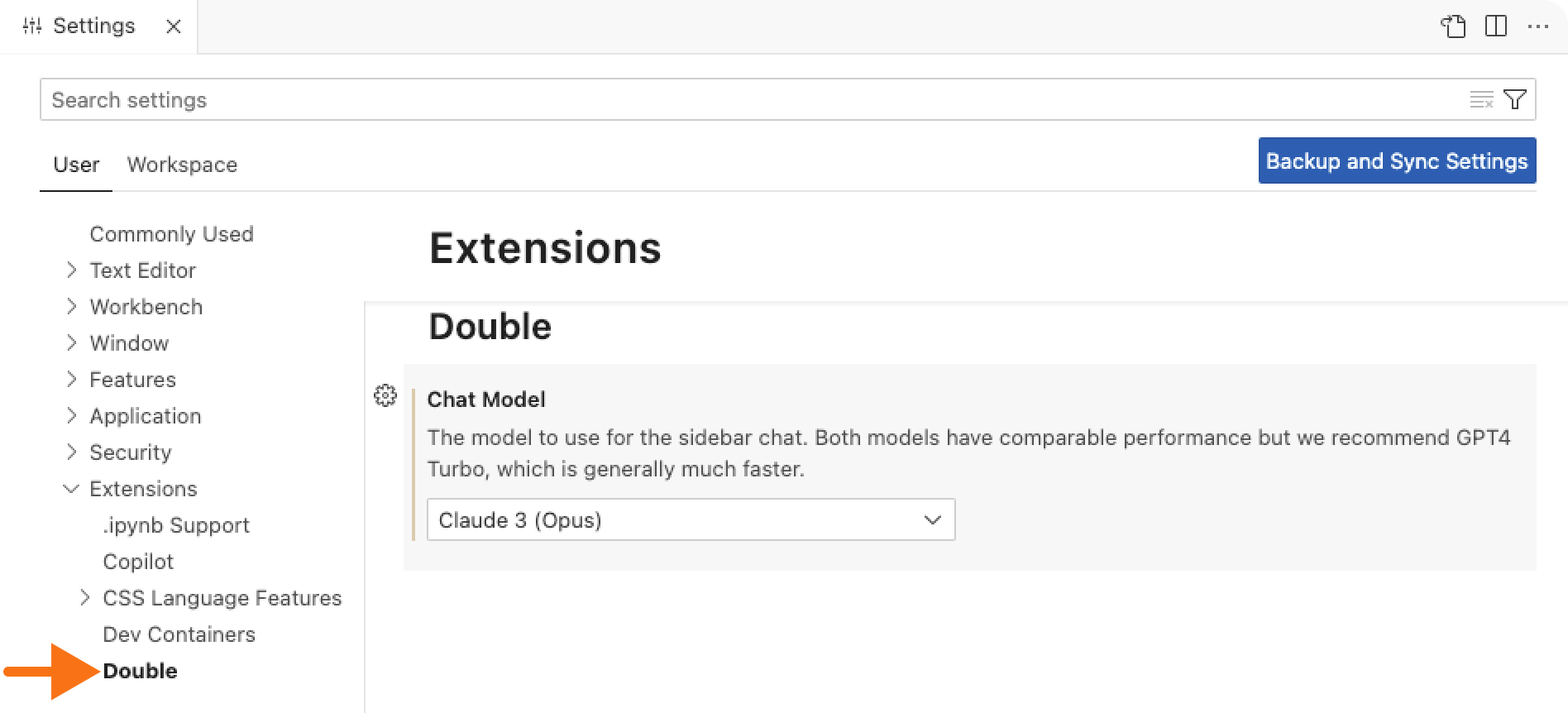
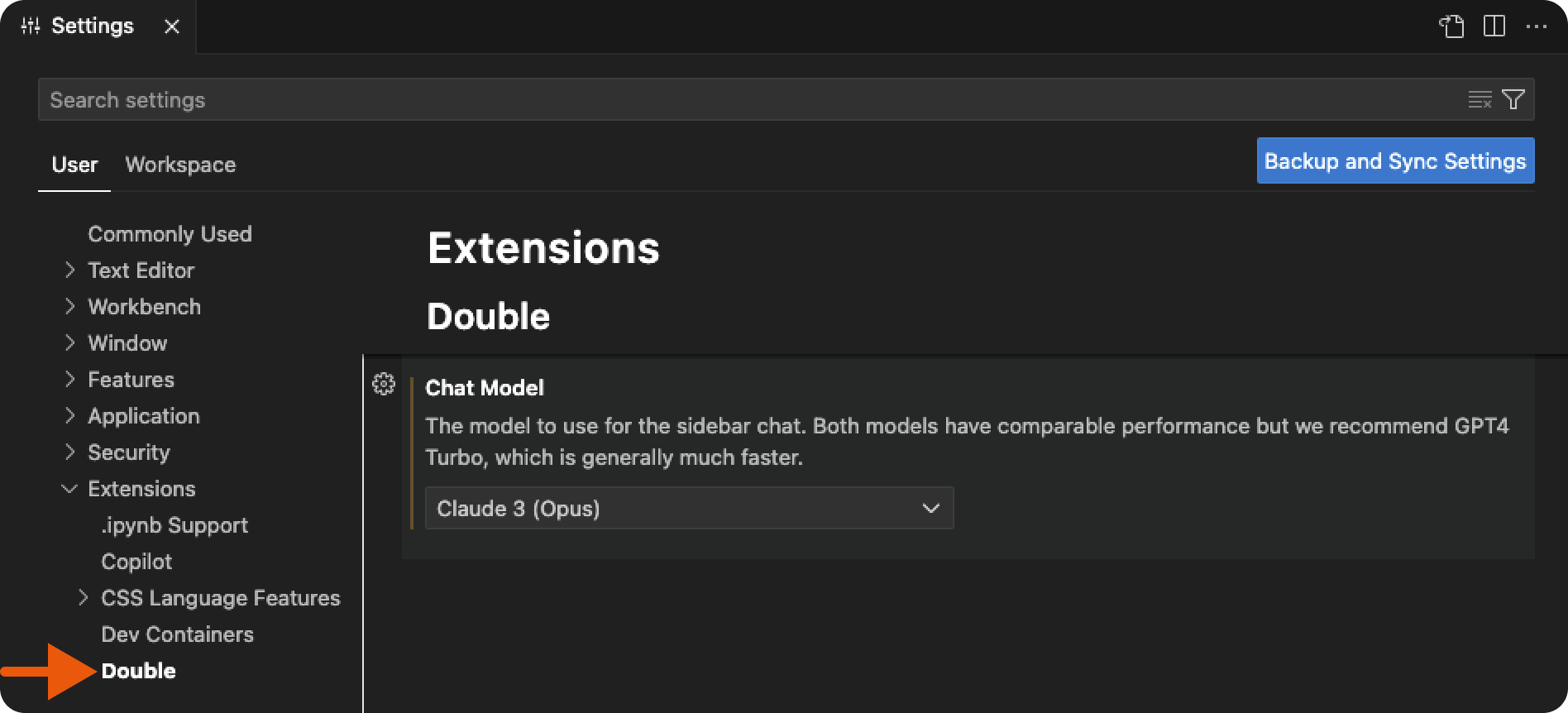
To change what model Double uses, go to the VS Code settings (`Cmd + ,` or `Ctrl + ,`), expand the Extensions dropdown on the left side of the screen, and select Double. Here you'll find a dropdown with all of the available models.