> ## Documentation Index
> Fetch the complete documentation index at: https://docs.double.bot/llms.txt
> Use this file to discover all available pages before exploring further.
# Chat
Our chat is powered by Claude 3.5 Sonnet by default, but you can select any models from our list of [supported models](/features/models) . Use `⌥ + J` on Mac OS, and `Alt + J` on Windows & Linux to start a new chat.
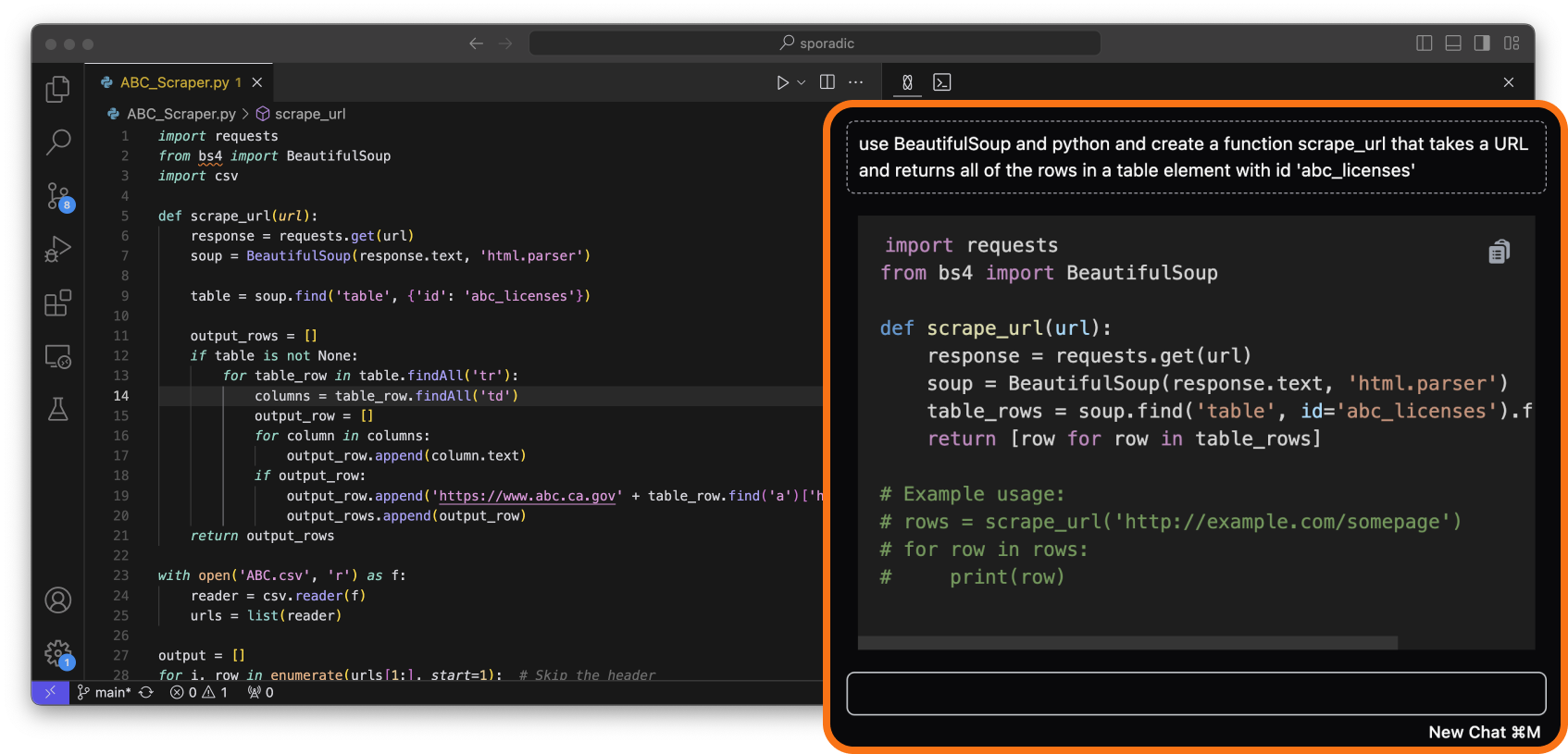
 ### Concise and code first
You don't need to know how to `pip install numpy` for the nth time. Double's chat is tuned to give concise answers and start answers with code samples (when appropriate).
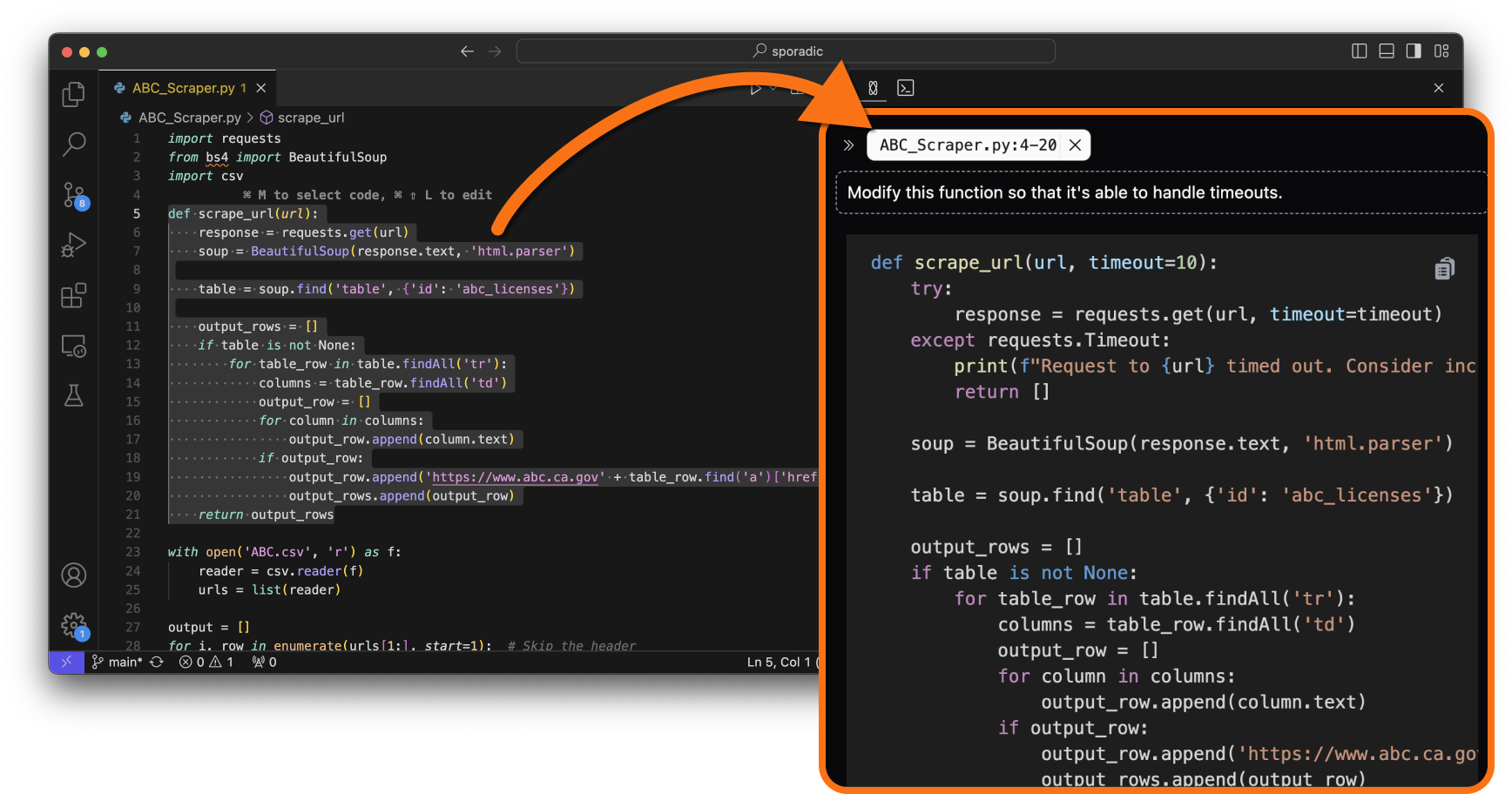
### Control the context
Select the exact lines you want the AI to focus on. Use `⌥ + K` on Mac OS, and `Alt + K` on Windows & Linux to pass any highlighted code in the editor to the AI. Try asking it to:
* Generate tests for a highlighted function
* Add comments to the highlighted code
* Explain how the highlighted code works
At this time, the AI only has access to the code that you explicitly pass to it. It will not automatically fetch context from your codebase (this is something that will be available soon).
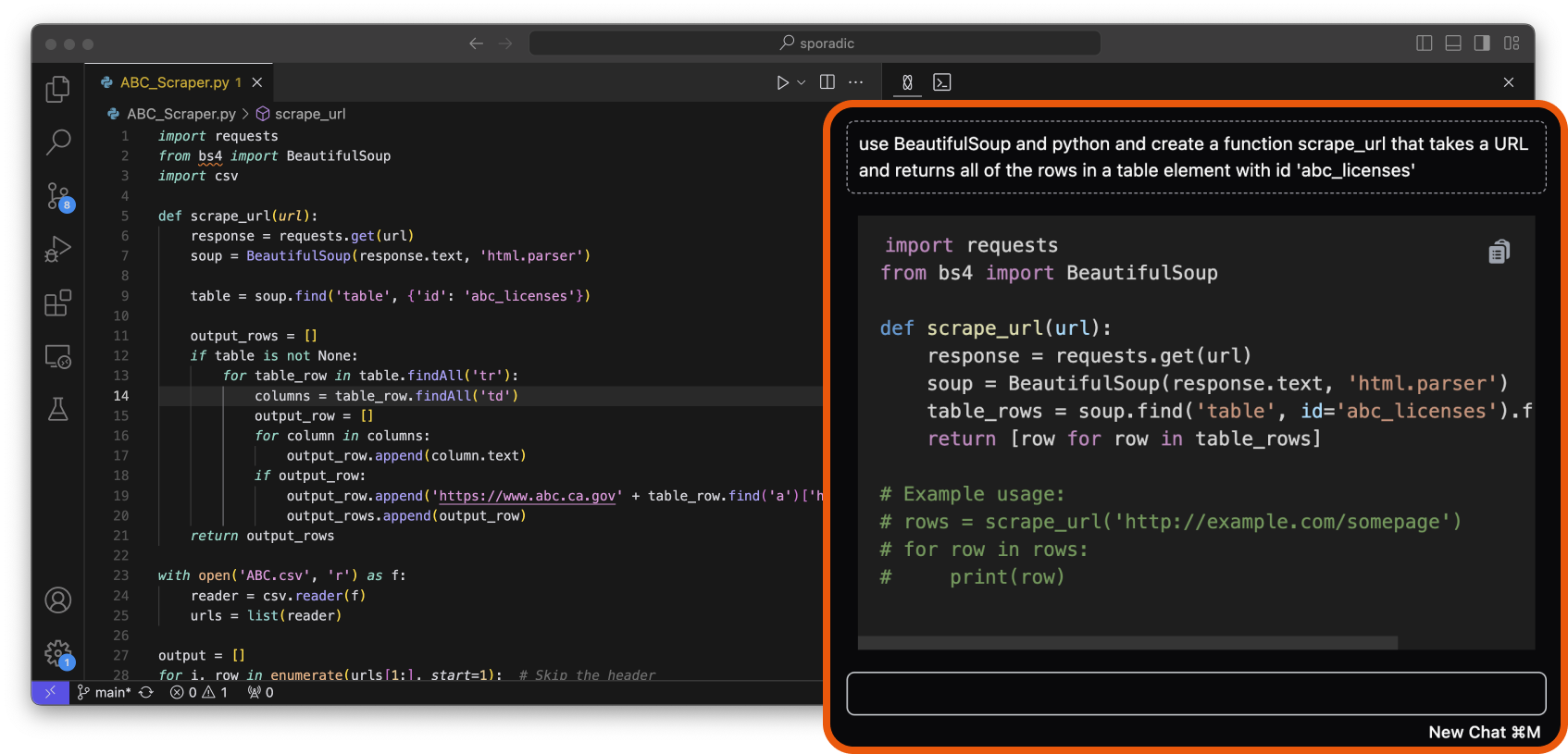
### Concise and code first
You don't need to know how to `pip install numpy` for the nth time. Double's chat is tuned to give concise answers and start answers with code samples (when appropriate).
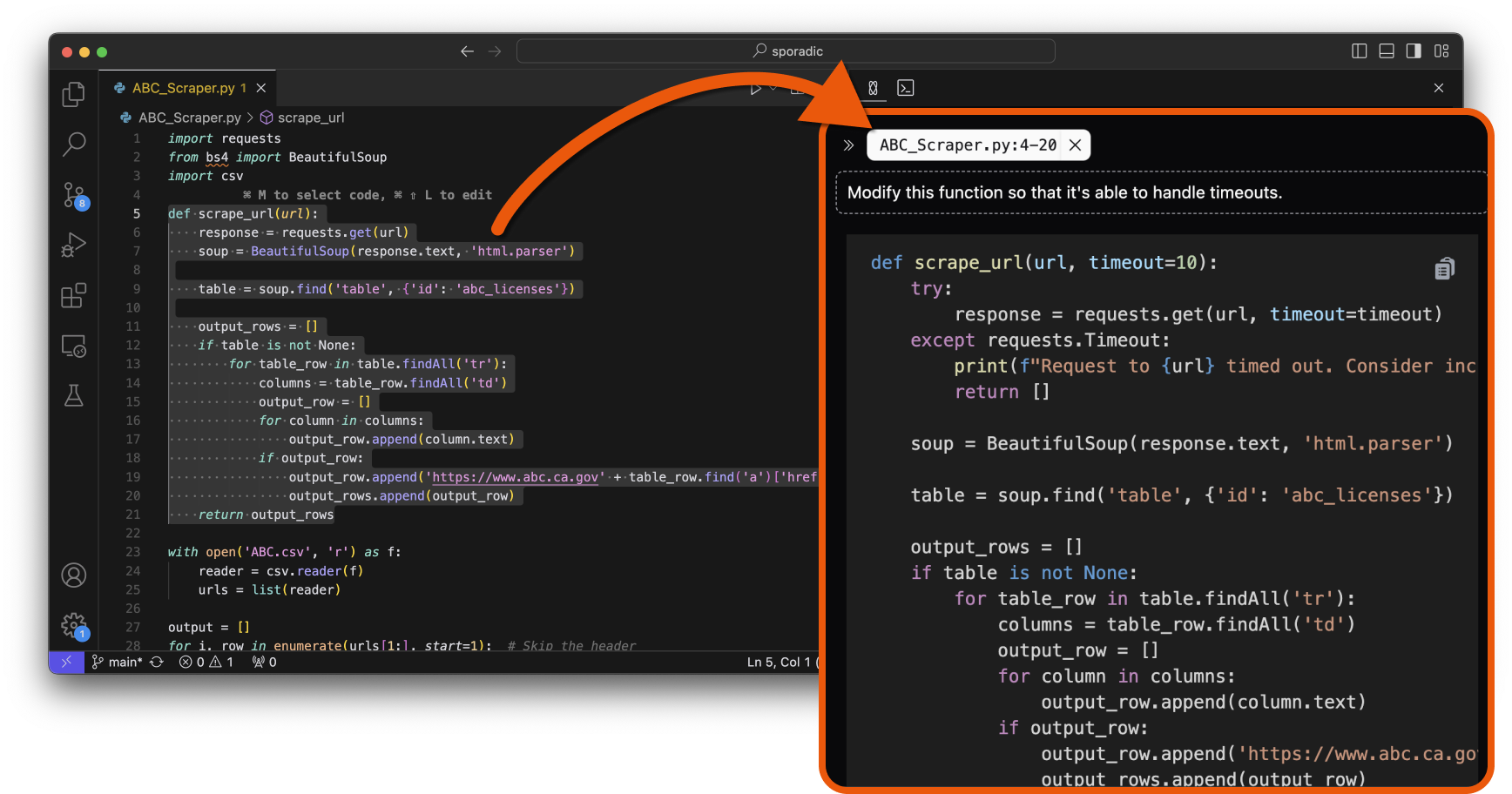
### Control the context
Select the exact lines you want the AI to focus on. Use `⌥ + K` on Mac OS, and `Alt + K` on Windows & Linux to pass any highlighted code in the editor to the AI. Try asking it to:
* Generate tests for a highlighted function
* Add comments to the highlighted code
* Explain how the highlighted code works
At this time, the AI only has access to the code that you explicitly pass to it. It will not automatically fetch context from your codebase (this is something that will be available soon).
 ### CodeSnapping
[CodeSnap](features/codesnap) is the fastest way of implementing any code generated by the AI in chat.
When you get a code snippet in chat that you want to implement to your code, simply click the [CodeSnap](features/codesnap) button to implement it, without having to copy-paste code or figure out what goes where.
Learn more about coding with CodeSnap [here](/features/codesnap).
### Custom Instructions
With [Custom Instructions](instruction), you can customize the AI's Chat replies to match your specific preferences, for excample:
* Always generate long and detailed explanations, or go straight to generating code and skip all explanations.
* Always include in-line comments.
* Always use specific libraries.
* Write comments and explanations in a specific language.
Learn more about how to personalize the Ai's behavir with Custom Instructions [here](instruction).
### Chat history
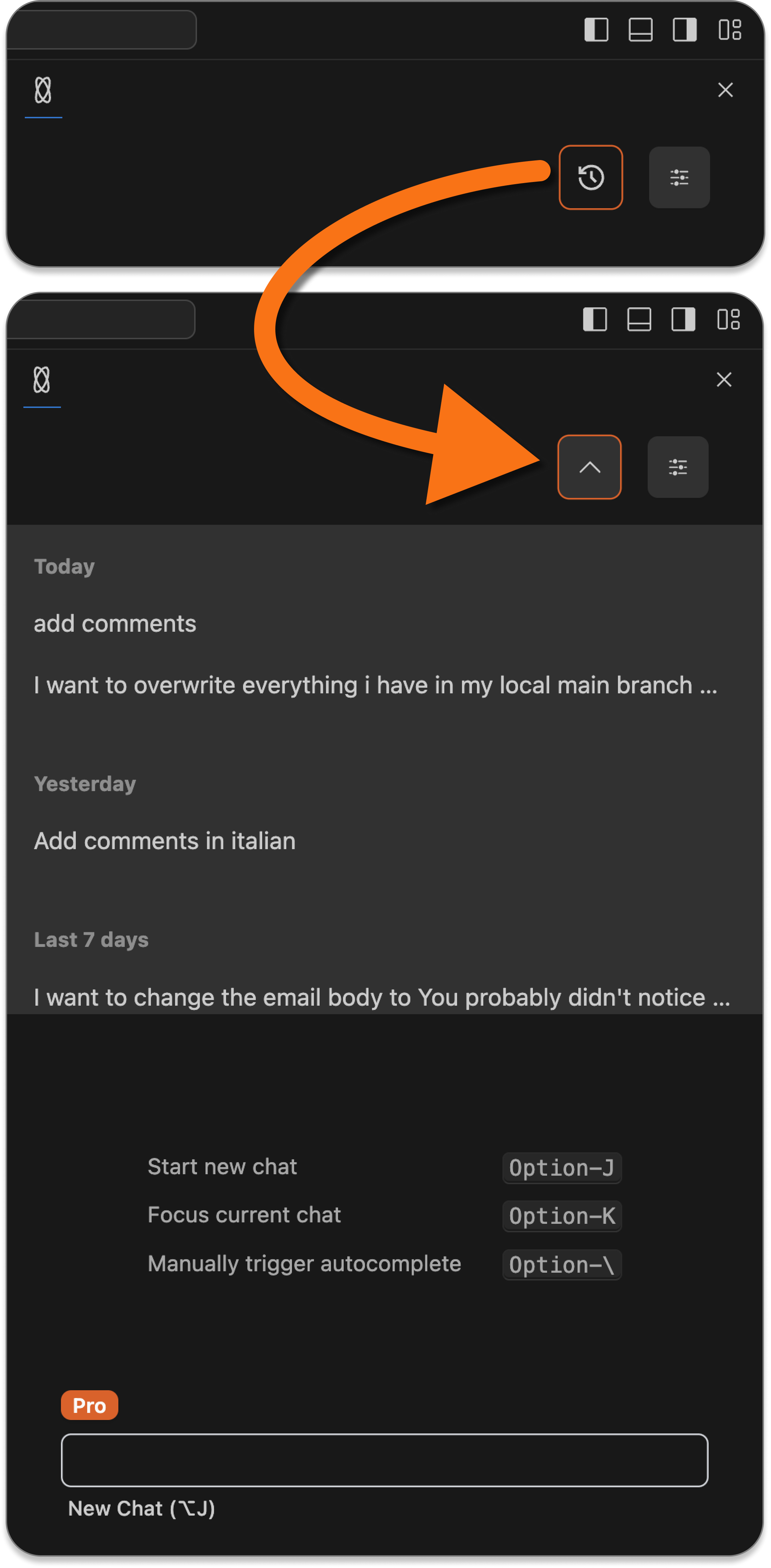
View all of your previous conversations, organized chronologically. You can also click on any conversation to expand it, and can continue the conversation from where you left off.
### CodeSnapping
[CodeSnap](features/codesnap) is the fastest way of implementing any code generated by the AI in chat.
When you get a code snippet in chat that you want to implement to your code, simply click the [CodeSnap](features/codesnap) button to implement it, without having to copy-paste code or figure out what goes where.
Learn more about coding with CodeSnap [here](/features/codesnap).
### Custom Instructions
With [Custom Instructions](instruction), you can customize the AI's Chat replies to match your specific preferences, for excample:
* Always generate long and detailed explanations, or go straight to generating code and skip all explanations.
* Always include in-line comments.
* Always use specific libraries.
* Write comments and explanations in a specific language.
Learn more about how to personalize the Ai's behavir with Custom Instructions [here](instruction).
### Chat history
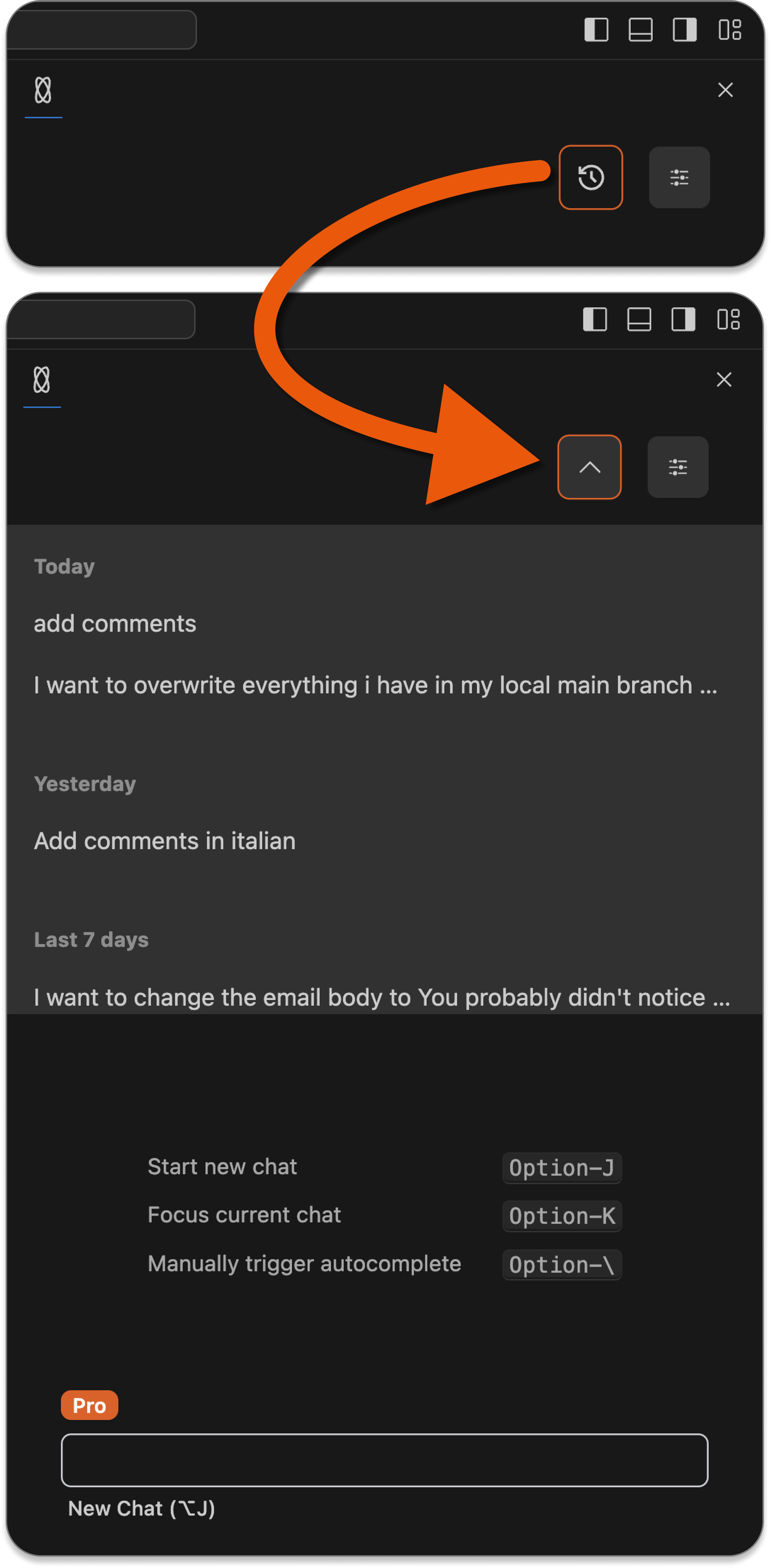
View all of your previous conversations, organized chronologically. You can also click on any conversation to expand it, and can continue the conversation from where you left off.
 ### Unlimited messages with big context
There are no limits on how many messages you can send an hour, a day, a week, or a month. You can send unlimited messages with any model of your choice.
The current context window for a Chat conversation is 30k tokens (model allowing), allowing for plenty of room to attach files, documentation, and have long conversations.
### Unlimited messages with big context
There are no limits on how many messages you can send an hour, a day, a week, or a month. You can send unlimited messages with any model of your choice.
The current context window for a Chat conversation is 30k tokens (model allowing), allowing for plenty of room to attach files, documentation, and have long conversations.