> ## Documentation Index
> Fetch the complete documentation index at: https://docs.double.bot/llms.txt
> Use this file to discover all available pages before exploring further.
# Autocomplete
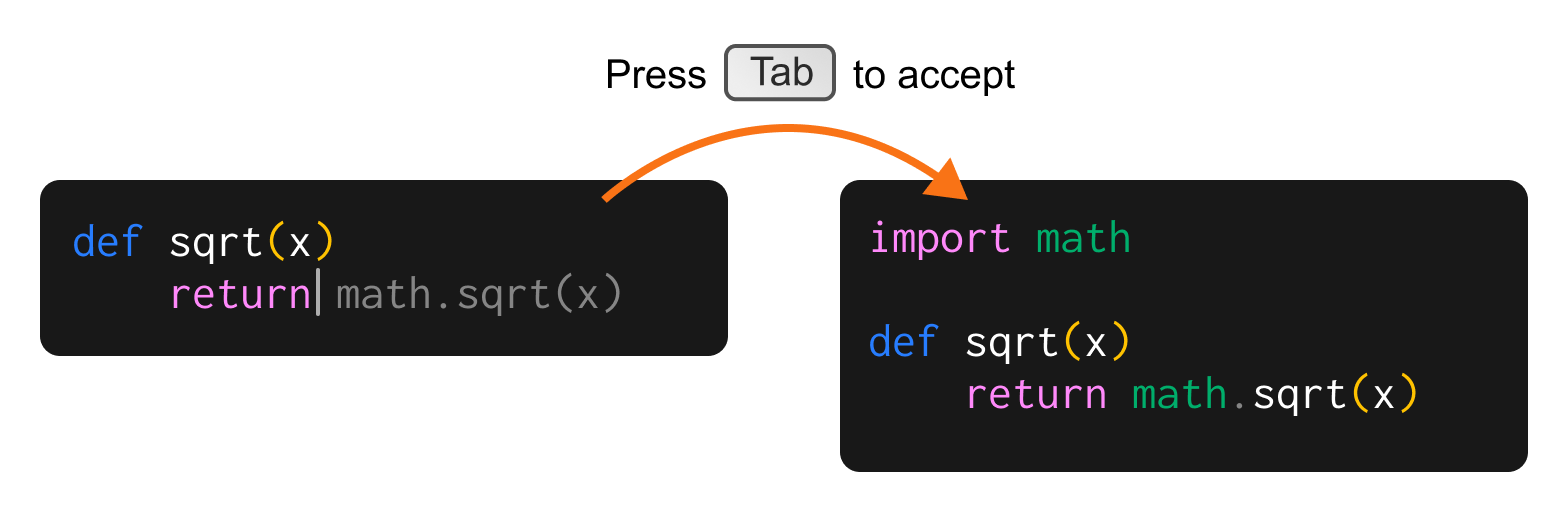
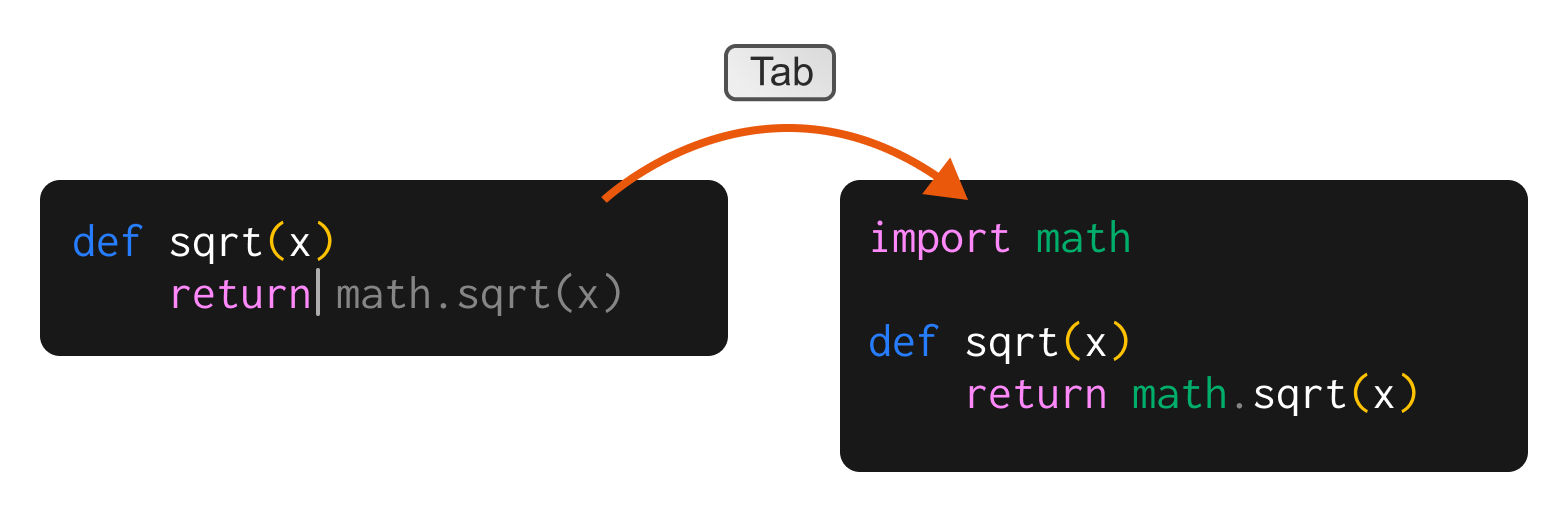
Get code suggestions in real time as you type in the editor, press `Tab` to accept a suggestion and incorporate it into your code. The suggestions are based on the contents of your current file, as well as the libraries you have imported.
To start using Double's Autocomplete, all you need to do is start typing. Autocomplete is on by default.
 If you're migrating from Github Copilot, you can also see the [side-by-side comparison with Double](/copilot).
## Features
### Auto-import Dependencies
When an Autocomplete suggests a variable, function, or library, that has not been imported yet, it will automatically be imported when you accept the suggestion.
For cases where there is more than one matching import, Double will drop you into the Intellisense dropdown menu as soon as you accept the suggestion.
### Mid-line Suggestions
Autocomplete will also make suggestions in the middle of a line when prompted with the `⌥/Alt + \` shortcut.
### Naming variables
There are only two hard things in Computer Science: cache invalidation and naming things. We solved one of them.
### Multi-cursor mode
Get multiple Autocomplete suggestions on different lines simultaneously. Multi-cursor mode just works.
### Won't comment on your comments
Autocomplete will not make any suggestions when you are writing comments, as to not interfere with your train of thought.
***
### Opting out of Autocomplete
You can choose to disable Autocomplete suggestions
In VS Code, open the Command Palette (`Ctrl + Shift + P` on Windows/Linux or `⌘ + Shift + P` on Mac).
You can also find this in the Extensions dropdown.
***
## Troubleshooting
### Why is auto-import not working?
This feature relies on the Language Server Protocol (LSP) Server to provide suggestions. If it's not working:
1. Check if the LSP Server for your language is installed and running (hasn't crashed).
2. Look for a quick fix option for the import. If you see this, the LSP Server is likely working correctly.
If you're migrating from Github Copilot, you can also see the [side-by-side comparison with Double](/copilot).
## Features
### Auto-import Dependencies
When an Autocomplete suggests a variable, function, or library, that has not been imported yet, it will automatically be imported when you accept the suggestion.
For cases where there is more than one matching import, Double will drop you into the Intellisense dropdown menu as soon as you accept the suggestion.
### Mid-line Suggestions
Autocomplete will also make suggestions in the middle of a line when prompted with the `⌥/Alt + \` shortcut.
### Naming variables
There are only two hard things in Computer Science: cache invalidation and naming things. We solved one of them.
### Multi-cursor mode
Get multiple Autocomplete suggestions on different lines simultaneously. Multi-cursor mode just works.
### Won't comment on your comments
Autocomplete will not make any suggestions when you are writing comments, as to not interfere with your train of thought.
***
### Opting out of Autocomplete
You can choose to disable Autocomplete suggestions
In VS Code, open the Command Palette (`Ctrl + Shift + P` on Windows/Linux or `⌘ + Shift + P` on Mac).
You can also find this in the Extensions dropdown.
***
## Troubleshooting
### Why is auto-import not working?
This feature relies on the Language Server Protocol (LSP) Server to provide suggestions. If it's not working:
1. Check if the LSP Server for your language is installed and running (hasn't crashed).
2. Look for a quick fix option for the import. If you see this, the LSP Server is likely working correctly.
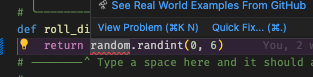 3. If you see the quick fix option but Double isn't executing the import, send us a screen recording of the issue and we can investigate.
For more information on LSP Servers, refer to the [official LSP documentation](https://microsoft.github.io/language-server-protocol/).
3. If you see the quick fix option but Double isn't executing the import, send us a screen recording of the issue and we can investigate.
For more information on LSP Servers, refer to the [official LSP documentation](https://microsoft.github.io/language-server-protocol/).